
Own,
don’t rent.
The CRM you need today.
The operating system you need next.
Connect leads, quotations, delivery and finance in a dedicated system shaped around your business. Your records, your workflows and a clear path to keep it running.
Dedicated deployment. Built by our in-house team.
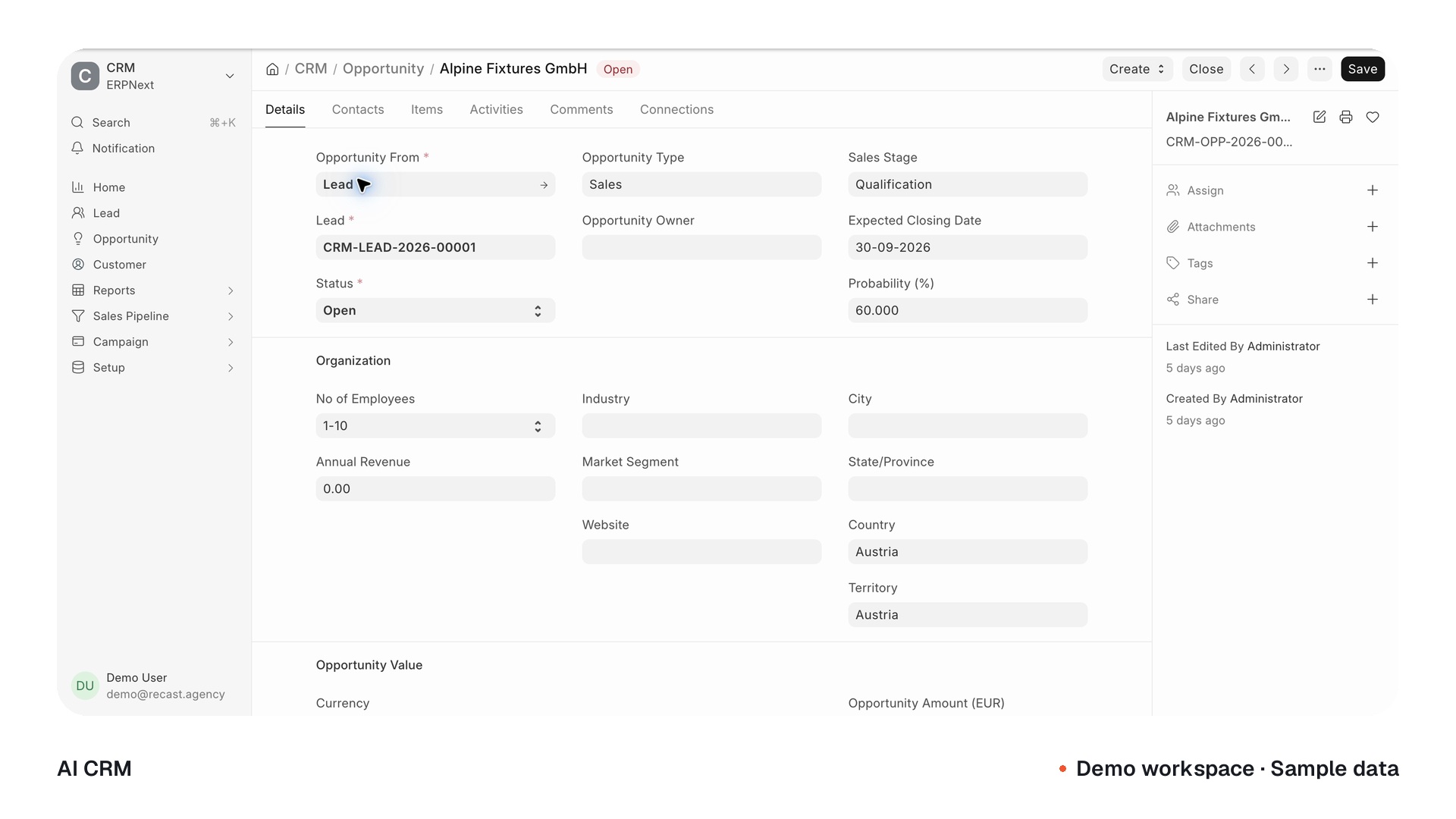 Demo workspace · Sample data
One relationship. A complete operating history.
See what each team inherits, creates and checks before the next handoff.
An enquiry with a next move.
Context carried in
- Source
- Website enquiry
- Contact
- Operations lead
Created at this stage
- Request
- Retail fit-out
- Next action
- Discovery call
Before the handoff
- Contact and request checked
- Account owner assigned
Illustrative workflow · configured for your deployment
Build an asset.
Keep the control.
Own the business records. Define the rights to your custom work. Build continuity into the implementation from the start.
Your system.Configured around the way you work.
- 01Data
Your records. Within reach.
Access and export the agreed business records, with backup and recovery responsibilities defined.
- 02Workflows
Your process. Defined rights.
Paid client-specific code, workflows and configuration are assigned or licensed for continued use as agreed in your contract.
- 03Accounts
Your environment. Your access.
Client-controlled infrastructure, accounts and credentials where practical, with the ability to revoke implementation access.
- 04Handoff
Your next chapter. Documented.
Receive the agreed code or configuration, dependencies and operating guidance, with a clear path to keep the system running.
Hosting, provider usage and ongoing support are scoped separately. Open-source and third-party components retain their own licences.
Know who owns the next move.
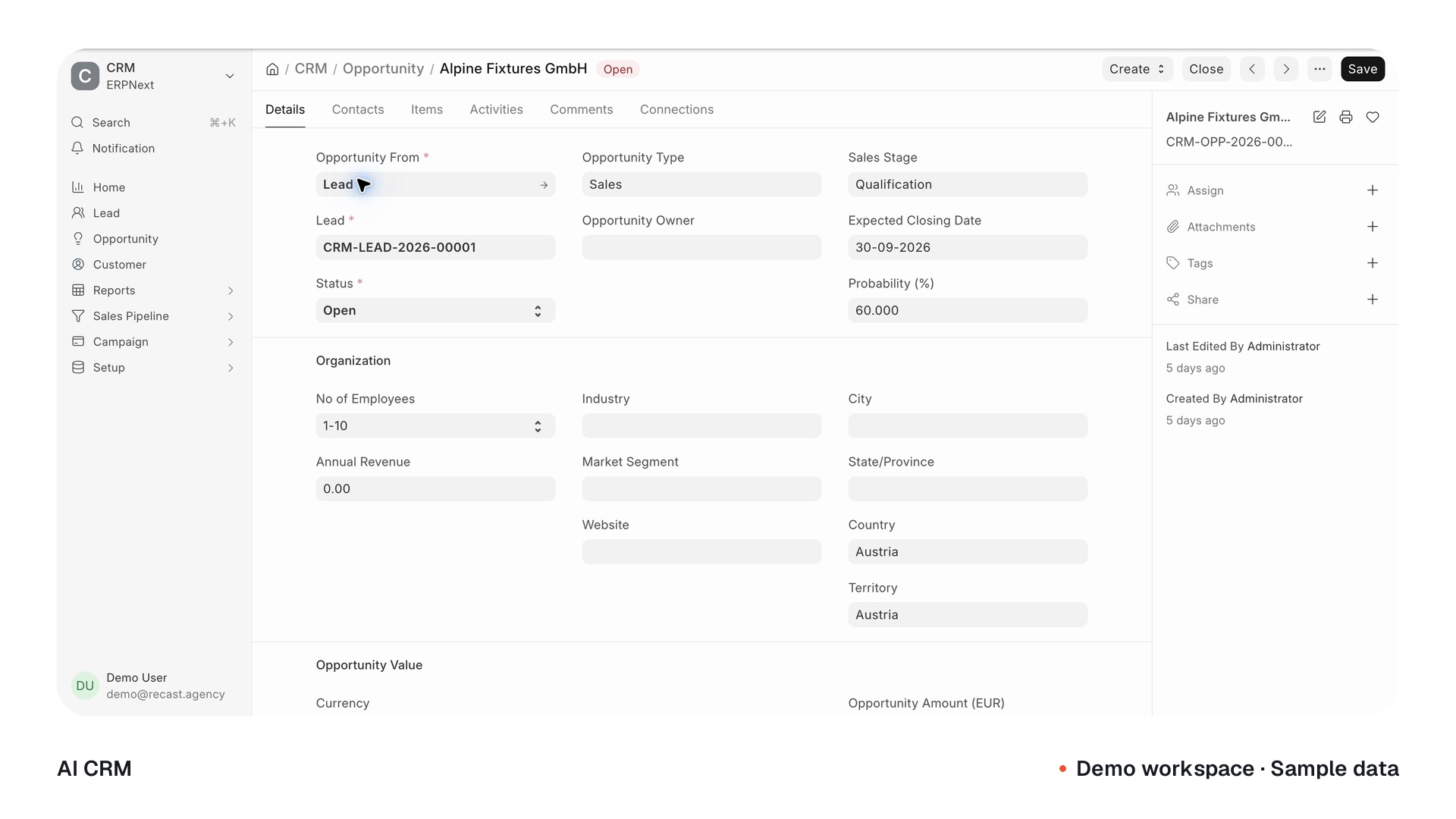
Give every lead a source, an owner and a next action. Keep the opportunity and its follow-up in the record your team actually uses.
- Leads and customer context
- Pipeline, ownership and stages
- Follow-up that stays with the record
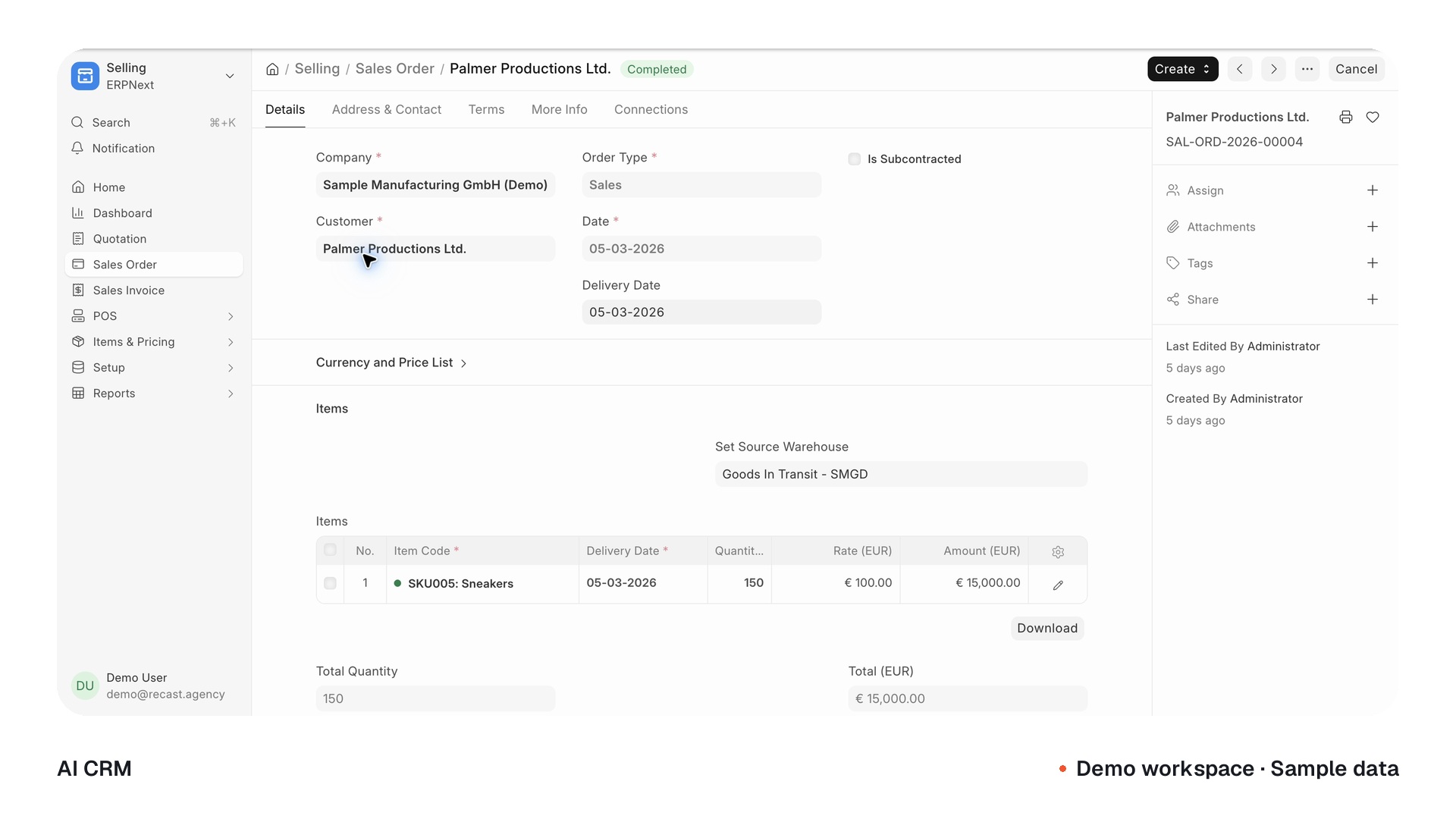
Carry the deal all the way through.
Connect the agreed scope to quotations, orders, delivery and billing. Configure your products, pricing and approvals so the next team starts with the details already in place.
- Products, services and price lists
- Quotations and approval rules
- Orders linked to fulfilment and billing
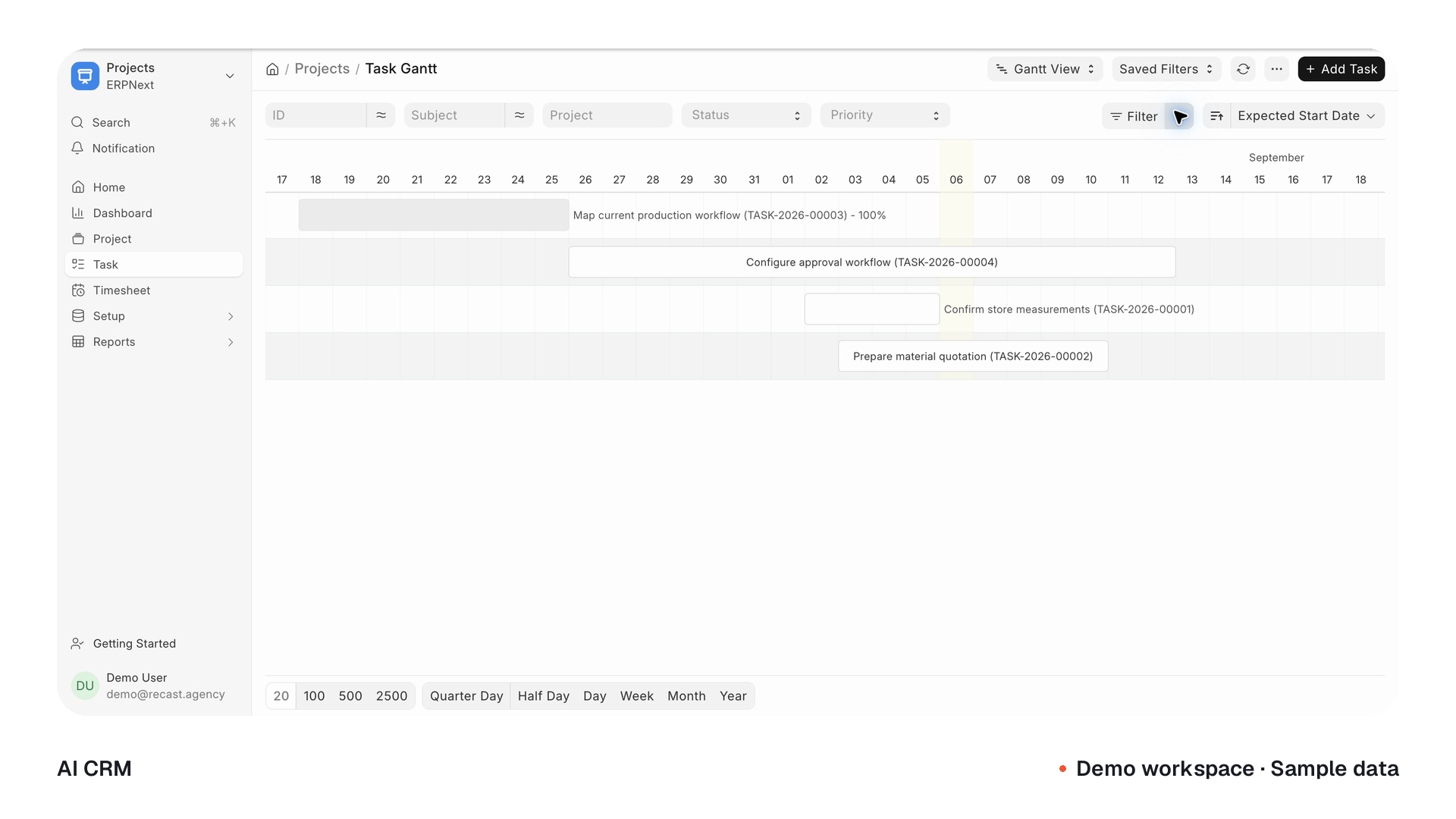
The handoff is part of the system.
Turn sold work into a project with scope, tasks and responsible people. Bring time, costs and billing around the same customer story, so delivery can see what sales promised.
- Gantt planning, dependencies and owners
- Time and delivery progress
- Project costs and billing context
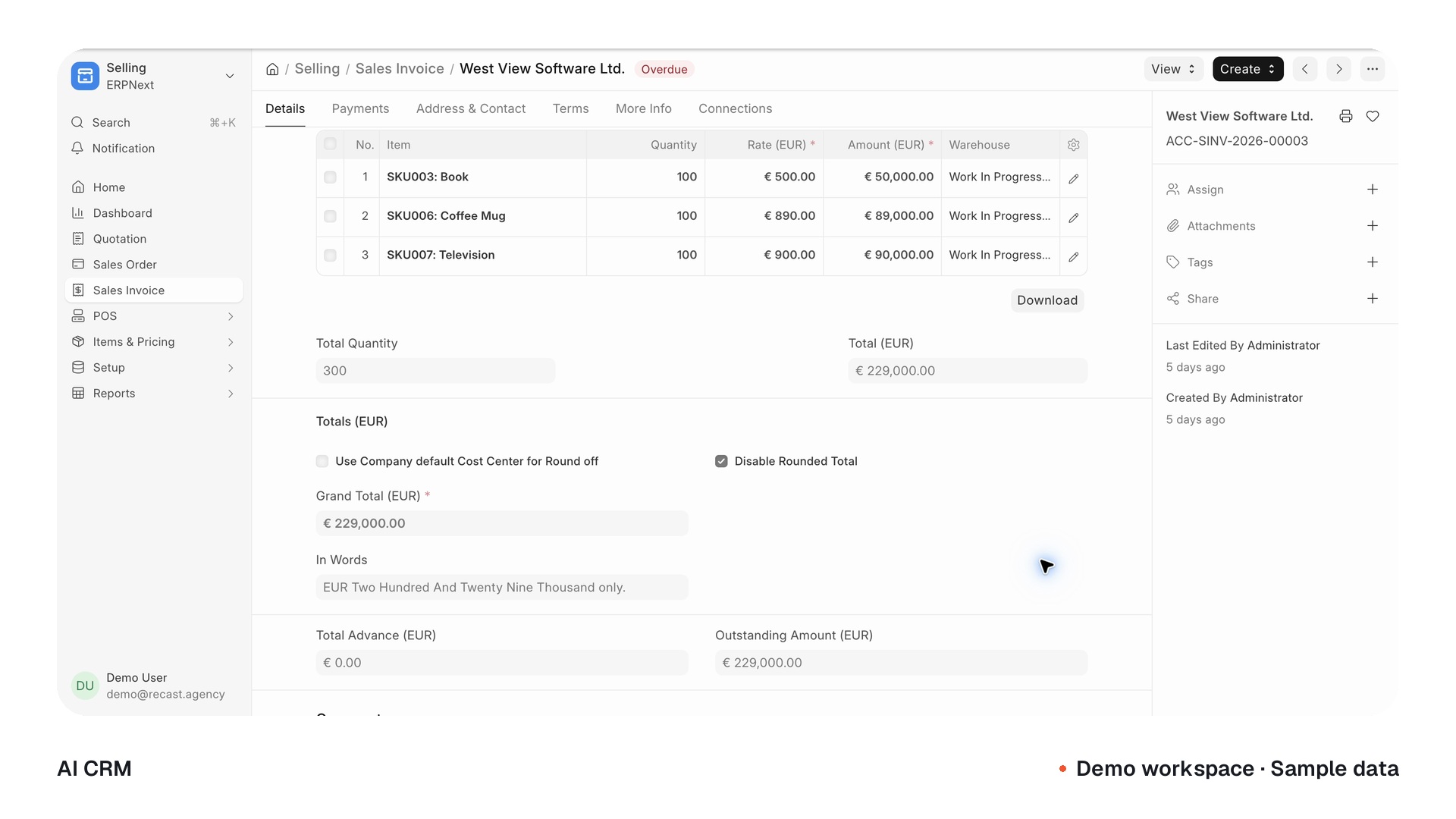
See the money behind the work.
Bring what is billed, paid and outstanding into the operating picture. Connect customer and supplier transactions to the reports your finance team needs.
- Receivables, payables and payment status
- Reconciliation and cost centres
- Financial reports from the recorded data
Accounting and tax setup are validated for your country, entity and process.
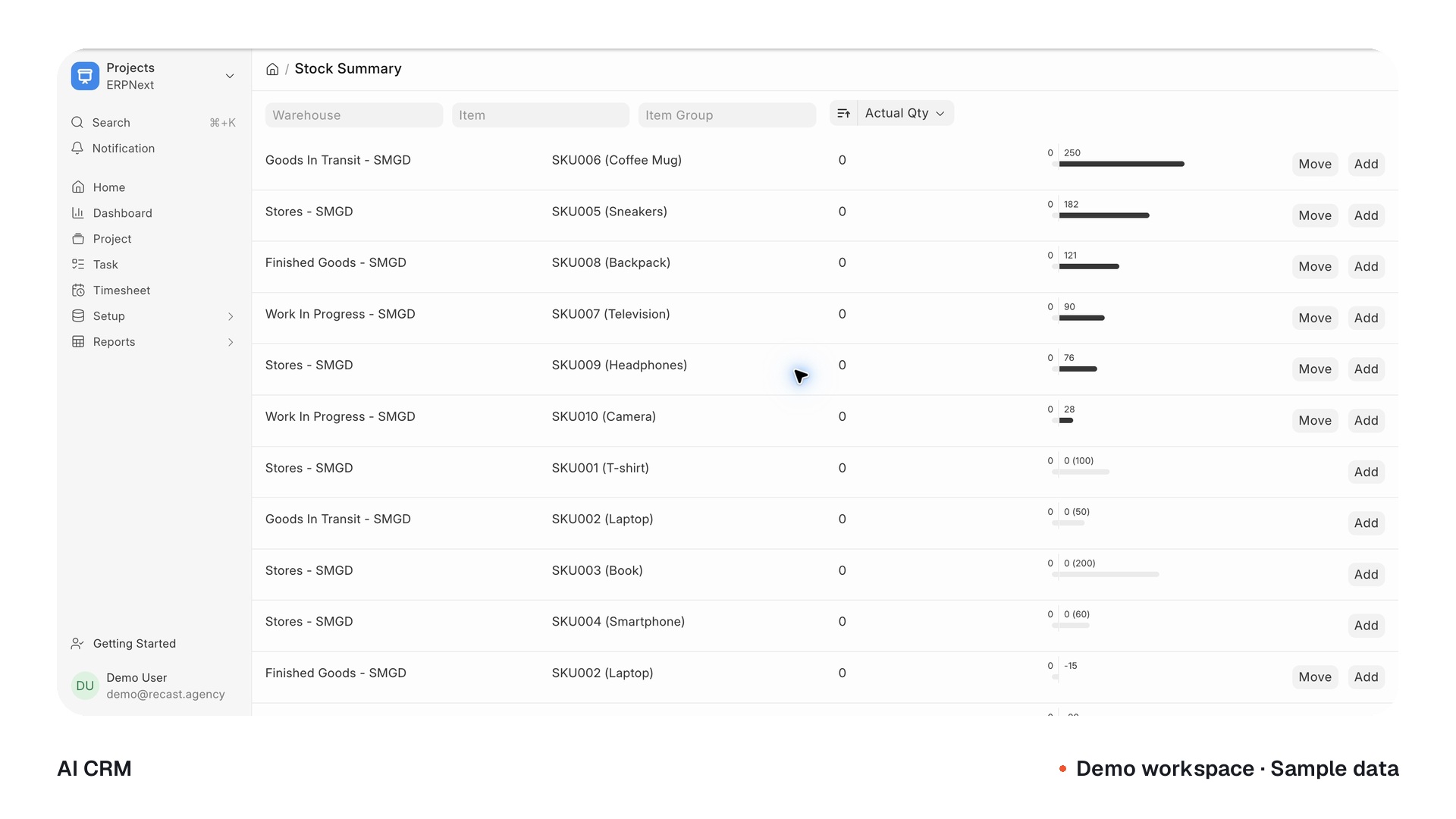
Make the promise with the operation in view.
Connect the customer order to purchasing, stock and the work needed to fulfil it. Add depth in manufacturing, assets or service where your process calls for it.
- Supplier requests, orders and receipts
- Items, warehouses and stock movement
- Production and service workflows in scope
Your records. Useful intelligence. Clear boundaries.
Prepare the next step with the right context and the right permissions.
Understand.
Prepare. Route.
Context from permitted records.
Actions within the agreed scope.
 Claudeor
 OpenAI
Source-linked findings.
A follow-up ready to review.
Required by the configured rules.
Illustrative workflow · configured for your deployment
Less searching.
A clearer next step.
Choose a workflow to see how approved records can become a useful brief, answer or draft.
Walk into the conversation with context.
“Prepare a customer brief before our next call.”
- 01
Approved context
- Customer record
- Open opportunity
- Recent communications
- 02
Prepared for your team
A concise brief with recent activity, open questions and links back to the underlying records.
- 03
Your team decides
Use the brief to prepare. Review the source records before making a commitment.
Illustrative AI workflows. Connections, permissions and approval rules are configured and tested for your business.
Start with sales. Connect the rest.
Choose the parts your business needs, then bring the records and workflows together.
Modules are selected, configured and tested for your implementation. Optional apps and provider connections are scoped separately.
Win the work. Deliver the promise.
The customer journeyCRMKnow who owns the next move.
Keep the relationship, the opportunity and the next action in one place.Core capabilityExplore featuresClose features
- Leads, contacts and customer history
- Owners, stages and next actions
- Follow-up tasks and linked communications
- Pipeline, aging and source views
SalesCarry the deal all the way through.
Connect the quote your customer accepts to the order, delivery and invoice.Core capabilityExplore featuresClose features
- Products, services and price lists
- Branded quotations and approval rules
- Sales orders and delivery records
- Invoices, returns and payment status
ProjectsTurn a promise into a delivery plan.
Give sold work a clear scope, responsible people and a visible path to billing.Core capabilityExplore featuresClose features
- Project templates and delivery phases
- Tasks, dependencies and assignments
- Timesheets and time-based billing
- Project costs and profitability
Connect the money, suppliers and stock.
The operating pictureFinanceSee the money behind the work.
Connect what is billed, what is paid and what is still outstanding.Core capabilityExplore featuresClose features
- Receivables and payables
- Payment and bank reconciliation
- Cost centres, budgets and currencies
- Profit and loss, balance sheet and cash flow
Accounting, tax and banking setup are validated for your country, entity and process.
BuyingKeep purchasing connected to demand.
Follow a request through the supplier order, receipt and invoice.Core capabilityExplore featuresClose features
- Purchase requests and approval rules
- Supplier quotations and purchase orders
- Receipts, returns and supplier invoices
- Purchasing linked to projects and costs
StockKnow what is available and what is next.
Connect sales and purchasing to the stock your team actually holds.Core capabilityExplore featuresClose features
- Items, variants and warehouses
- Serial numbers and batch tracking
- Reservations, reordering and transfers
- Stock balances and valuation reports
Keep the operation moving.
Production and serviceManufacturingLink the order to the work on the floor.
Bring materials, production plans and progress into the same operating picture.Core capabilityExplore featuresClose features
- Bills of material and routings
- Material and production planning
- Work orders and job cards
- Production costing and quality checks
Production rules, opening data and shop-floor connections are configured and tested for your process.
ServiceKeep the customer story going.
Carry the relationship beyond delivery, with service history beside the customer.Core capabilityExplore featuresClose features
- Issues, priorities and assignment
- Email-to-issue workflows
- Warranty and customer service history
- Maintenance schedules and visits
A dedicated helpdesk interface is an optional, separately integrated application.
AssetsKeep track of what keeps you running.
Follow equipment through acquisition, movement, maintenance and retirement.Core capabilityExplore featuresClose features
- Asset categories, locations and movement
- Acquisition and depreciation schedules
- Maintenance plans and repair logs
- Asset reporting and disposal records
Bring the wider business together.
Room to growPeopleBring people operations into the picture.
Add a dedicated people system when the business is ready for that next step.Optional appExplore featuresClose features
- Employee records and onboarding
- Leave, attendance and shifts
- Expenses and performance processes
- Salary structures and payroll
Requires a separately installed people application. Payroll and local requirements are validated for your scope.
CommerceConnect the storefront to the operation.
Link the customer-facing journey with the records your team needs to fulfil it.Scoped connectionsExplore featuresClose features
- Product listings and record-creating forms
- Customer and supplier portal access
- Order and fulfilment connections
- External store integrations where supported
Storefront features, checkout and external commerce connections are assessed and tested separately.
Reporting & controlSee what changed. Decide what moves.
Give each team a useful view, with clear permissions and approval paths.Core capabilityExplore featuresClose features
- Role-specific dashboards and saved views
- Financial and operational reports
- Permissions and approval workflows
- Document history and scheduled reports
Custom reports are built around your data. A dedicated analytics application can be scoped separately.
The same foundation. A different way of working.
What connects the system is your process. See how the same foundation can support different kinds of work.
Let the sale become a clean handoff.
Your team wins the work. The agreed scope should travel with it. Connect the opportunity and quotation to a project, responsible people, time or milestone billing and the invoice—so delivery starts with the context sales already captured.
Illustrative workflows. Your process, modules and integrations define the implementation.
Don’t let old tools
hold you back.
Bring the records worth keeping. We map your process, move the agreed data in stages and test the handoffs before your team makes the move.
Source access and data quality define the migration.
- 1
Map
Match the records, fields and workflow your team needs.
Agree the scope - 2
Move
Configure the system. Import and reconcile the agreed data.
Work in stages - 3
Validate
Test real scenarios, permissions and approval paths.
Review before release
brought together.
Training, documentation and an agreed handoff for the team running it.
Prove the workflow.
Then hand it over.
- Imported records and agreed totals reconciled
- Roles, permissions and approval rules tested
- Real sales-to-delivery handoffs checked
- Exports, backups and support responsibilities clear
Built around
the way a business works.

 Early-access implementation
An operating back office for project work.
A branded CRM implementation track for reports, roles, project context and a planned Falcana migration.
Status recorded September 1, 2026.
Explore the workThe team behind it builds across businesses.
Selected clients from our wider engineering and consulting work.












Know what
you’re building.
Scope, ownership and continuity should be clear before the work begins.
01What does “Own, don’t rent” mean?
You retain your business data. The agreement defines ownership or continuing use rights for paid client-specific code, workflows and configuration. Open-source components keep their original licences, and RECAST retains reusable background technology with the rights you need to operate the delivered system. Hosting, providers and support can still have recurring costs.
02Will it fit how we work?
We start with your process: the records you use, the handoffs your team makes and the decisions that need review. Then we configure the system and build the custom workflows, interfaces and integrations within the agreed scope. Your team tests those scenarios before release.
03What costs continue after the build?
Hosting, model and API usage, and other provider services can have ongoing fees. Maintenance, support and managed operation are scoped separately. Your proposal identifies the expected costs and responsibilities.
04Do we get every module?
We start with the workflows your team needs and configure the modules that support them. Projects, finance, purchasing, inventory, manufacturing and other capabilities can be phased in. Optional apps and provider connections are scoped separately; the library is a view of what can be implemented.
05How does the AI layer fit in?
The operating system holds the records. The intelligence layer works from permitted data to prepare briefs, drafts and approved actions. Exact tools, permissions and approval rules are built and tested for your engagement. The AI diagrams on this page are illustrative workflows, not a demonstration of a live connector.
06Can we migrate from our existing CRM?
We review the exports, APIs, record quality and history you need, then define the migration and reconciliation plan. Source access and data quality determine what is feasible. The aim is a controlled transition, with the agreed records checked against their source.
07Can another team maintain the system later?
The agreement defines your continuing rights and the handoff package: relevant code or configuration, environment details, dependencies, data exports and operating guidance. Replacement-provider assistance beyond that package can be scoped separately.
08Can it handle our country’s accounting or payroll?
Accounting setup is validated for the relevant country, entity and process. Payroll uses a separately scoped HR application and requires its own local validation. These are not universal capabilities of the demo.
Own what’s next.
Bring the workflow your current tools keep breaking apart. We’ll map the system your team needs to move it forward.